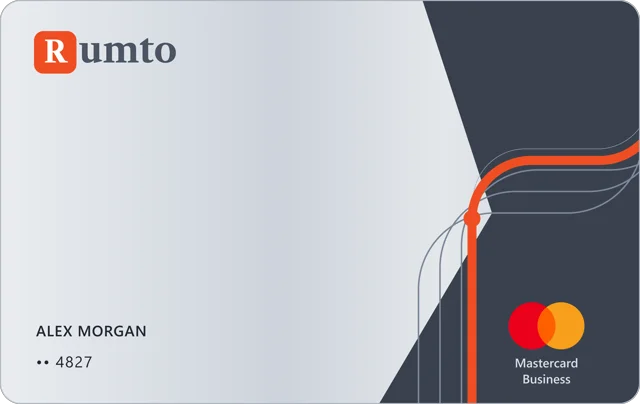
A virtual card
beyond your bank

Top up with crypto and pay for subscriptions, AI tools, flights, hotels and holiday shopping

From plans to your first payment

It all starts in the Rumto app. Your cards, wallet and transaction history are all there.

Open the app

Your wallet and your card have separate balances.

01

Create an account

$ ₿ 100+ cryptocurrencies USDT, USDC, Bitcoin and more Rumto wallet ✓ Received
02

Top up your wallet

03

Choose a card and verify your identity

04

Start paying

One balance, many ways to use it

How it works

Diagram: you top up your balance with crypto. Then you can spend it on virtual cards, QR payments in Asia or Steam top-ups, or send it to other Rumto users.

1Top up your balance
Rumto balance One balance for your cards and your wallet
2Spend and send

Choose a card for what you need

Issued in 2 minutes.

What matters most to you?

No monthly fee. You'll see the full terms and country restrictions in the app before you buy.

crypto wallet.
Not just for cards

In secondsQR payments and transfers between Rumto users go through instantly
ProtectedEvery account has two-factor authentication
  • Top up100+ cryptocurrencies
  • HoldUSDT and USDC with no limit on the amount
  • SendTo any address or to a Rumto user by UID
  • Pay by QRIn Asia: Thailand, Vietnam and more
  • HistoryAll your transactions in one place
  • PayRumto card and Steam top-ups

Stuck on something?
Help is right here

Ask our chat bot

It answers any time.

News and service status

We post about outages, changes and promotions in the Rumto Telegram channel.

Subscribe to the channel

Did it work for you?
Help your friends too

Friends looking for a way to pay for subscriptions or shopping abroad? Share Rumto and give them a discount on their card.

10%

off a card for your friend

You get a reward when they get
a card and top it up.

FAQ

What do I need to get a card?

It depends on the card. Visa E-commerce needs only your phone number; Visa Universe and Mastercard Business need an ID document and a selfie. You verify in the Rumto app.

How do I top up a virtual card?

First top up your Rumto wallet with crypto, then move funds from the wallet to the card.

Can I add the card to Apple Pay and Google Pay?

Yes, all three Rumto cards work with Apple Pay and Google Pay.

Is there a monthly fee?

No. Rumto cards have no monthly fee. You pay to get the card, and there are fees on top-ups and payments; each card’s terms list them.

Do I need a separate card for each subscription?

Usually not. Compare the issue price, fees and limits and pick one card for your services. Whether a specific payment goes through also depends on the service’s rules and the issuer’s restrictions.

How do QR payments work when I travel?

In Asia you pay by QR from your Rumto wallet balance, without a card. Check which countries are supported in the app.

Life is full of plans.
Choose your card

Subscriptions, shopping and trips are ready when you are.